

- Published on
How to Make a LEGO Profile Picture That Still Looks Like You at 40 Pixels
Most advice about LEGO profile pictures is about which generator to use. That's the part that barely matters. The generators produce broadly similar images, and then people upload a full-body figure to LinkedIn, where it renders at about 48 pixels across, and their head becomes six pixels of beige.
The crop is the whole game.
Here's mine, before and after, so you can see what does and doesn't survive the transformation.
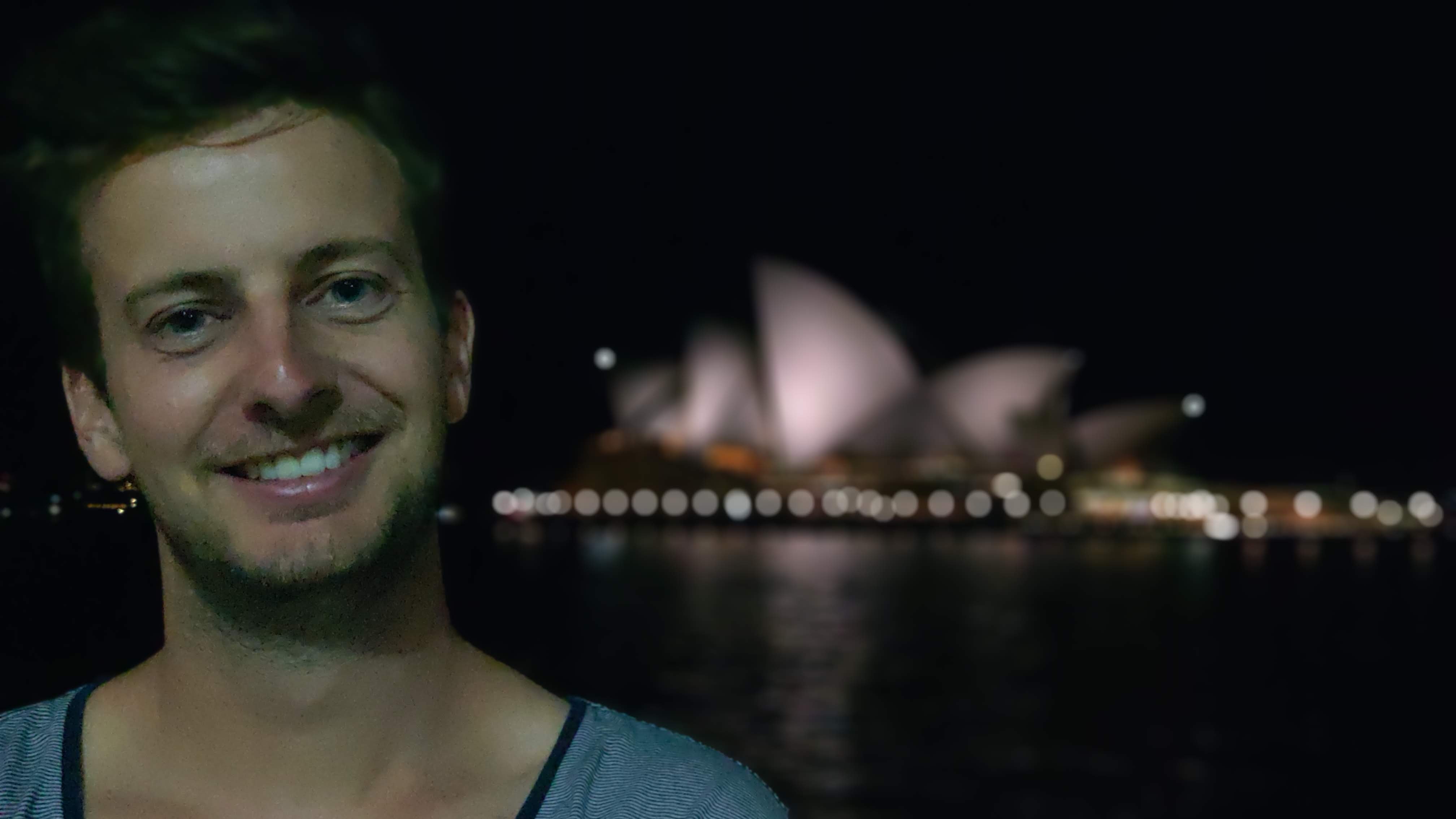
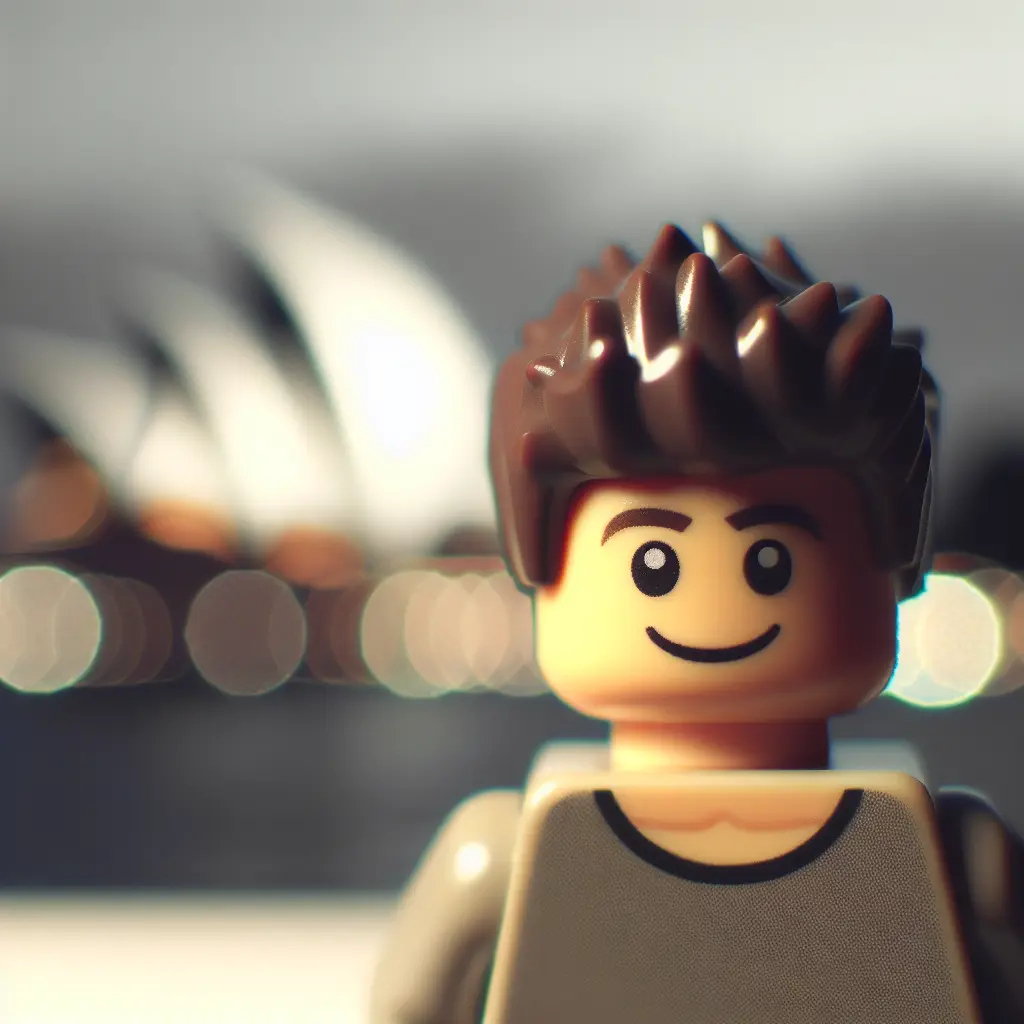
Hair, glasses, beard, shirt colour: all there. The specific shape of my nose: gone, and there was never anywhere for it to go.
Why a LEGO avatar works at all
Avatars fail for two reasons. Either they're too detailed to read when small, or they sit in the uncanny valley where a stylised human face looks slightly wrong.
Minifigures dodge both. The format is already reduced to a handful of shapes and flat colours, which is exactly what survives being displayed at thumbnail size. And nobody mistakes a minifigure for an attempt at photorealism, so there's no valley to fall into. It reads as a deliberate choice.
It also reads as approachable without reading as unserious, which is a narrow target that cartoon avatars usually miss.
The crop rules
Upload a square. Every platform crops to a square or a circle. Give them a square and you control what gets cut. Give them a rectangle and they decide.
Crop to head and shoulders. Not the full figure. The instinct is to keep the whole minifigure because the legs and the little printed torso look good at full size. At avatar size they're noise. Crop so the head fills roughly the top half of the frame and the shoulders anchor the bottom.
Test it small before you commit. Shrink the image to 48 pixels wide on your own screen and look at it. If you can't tell it's you, the platform's users won't either. This takes ten seconds and catches almost every mistake.
Mind the circle. Several platforms mask avatars into a circle, which eats the corners. Anything you care about needs to be inside the inscribed circle, not just inside the square.
Upload bigger than you need. Platforms downscale well and upscale badly. A 1024 by 1024 source will look fine everywhere; a 200 pixel source will look soft on a retina display.
See yourself as a LEGO minifigure
Upload a photo and get your custom figure in 10 seconds — free preview included.
Try It FreeThe photo you start from
Different rules than a normal portrait, because you're feeding a model that's about to throw away most of the detail.
Front-facing, always. A three-quarter angle that flatters you in a photograph produces a minifigure that resembles a stranger, because the features it would have used to identify you are turned away.
Light from the front. A window in front of you, at roughly your height. Overhead light casts shadows into your eye sockets and the model reads them as dark features. Backlight is worse and produces the generic-figure result people complain about.
Shoulders up, filling the frame. You're making an avatar. Anything below the collarbone is going to be cropped away regardless, so don't waste resolution on it.
Wear a colour. Minifigure torsos are printed graphics dominated by one or two flat colours. A plain shirt in a strong colour gives the figure a torso people will remember. A subtle grey marl gives it a grey rectangle.
Keep the identifying details. Glasses, facial hair, an unusual hair shape, a hat. These carry across and do most of the recognition work.
Where it belongs and where it doesn't
Some contexts read a LEGO avatar as personality. Others read it as not taking the room seriously. It's worth being honest about which is which.
It works well on Slack, Discord, WhatsApp, Zoom, and personal Instagram, where the register is already informal and a distinctive avatar helps people find you in a list. Guidance for each of those, including how they crop and display, is in the LEGO avatar guides: Slack, Zoom, WhatsApp, Discord, Teams, Instagram, and TikTok.
LinkedIn is the split case. In design, gaming, developer tooling, and most of startup-land, a LEGO avatar is fine and occasionally an advantage. In law, finance, medicine, or anywhere your profile functions as a credential, use a photograph. I say that as someone whose LinkedIn photo is a real one.
Never use it where identity verification matters. Banking, government portals, ID checks. This should be obvious and occasionally isn't.
What to expect from the result
You'll get a minifigure that people who know you will identify immediately and people who don't will read as a friendly abstract person. That's the correct outcome.
What you won't get is a portrait. Fine facial structure, small logos, jewellery, text on clothing, and subtle expression all disappear, because the minifigure format has a head, a torso graphic, and a hair piece to work with and nothing smaller.
If your first result doesn't look like you, the photo is almost always the reason. Reshoot facing a window before you try a different tool.
Quick answers
What size should a LEGO profile picture be? Square, at least 512 pixels, ideally 1024. Platforms downscale from that cleanly.
Do I need to crop it myself? Yes, if you want it to read at small sizes. Generators output a full figure; avatars need head and shoulders.
Will it work as a LinkedIn photo? Depends on your field. Creative and technical industries, yes. Regulated professions, no.
Can I make one without an account? Yes. The free preview gives you one watermarked image with no signup. Terms are spelled out here.
How do I get a matching set for my team? Generate them together rather than separately, or they won't match. Team Builder does this in one pass, and the family portrait guide explains the photo consistency part.
Start with a shoulders-up photo taken facing a window, and run it through the generator. Then shrink the result to 48 pixels and see whether you can still tell it's you.
Ready to become a LEGO minifigure?
Upload your photo and get a custom LEGO figure in seconds. Free preview, no account needed.
Create Your Figure FreeReady to become a LEGO minifigure?
Upload your photo and get a custom LEGO figure in seconds. Free preview, no account needed.
Create Your Figure Free